When attempting to create, send, or schedule a new WhatsApp campaign, you may occasionally be blocked from proceeding. The system will display an in-app notification explaining the issue.
There are two primary reasons why you might be unable to create a WhatsApp campaign:
1. Unauthorized WhatsApp Number (Campaign Progress Hindered)
In order to send marketing messages, the phone number you use must be officially verified and approved for promotional use by WhatsApp.
If you see a "Campaign progress hindered" notification, it means the mobile number currently linked to your integration is either unverified or not authorized for sending promotional offers.
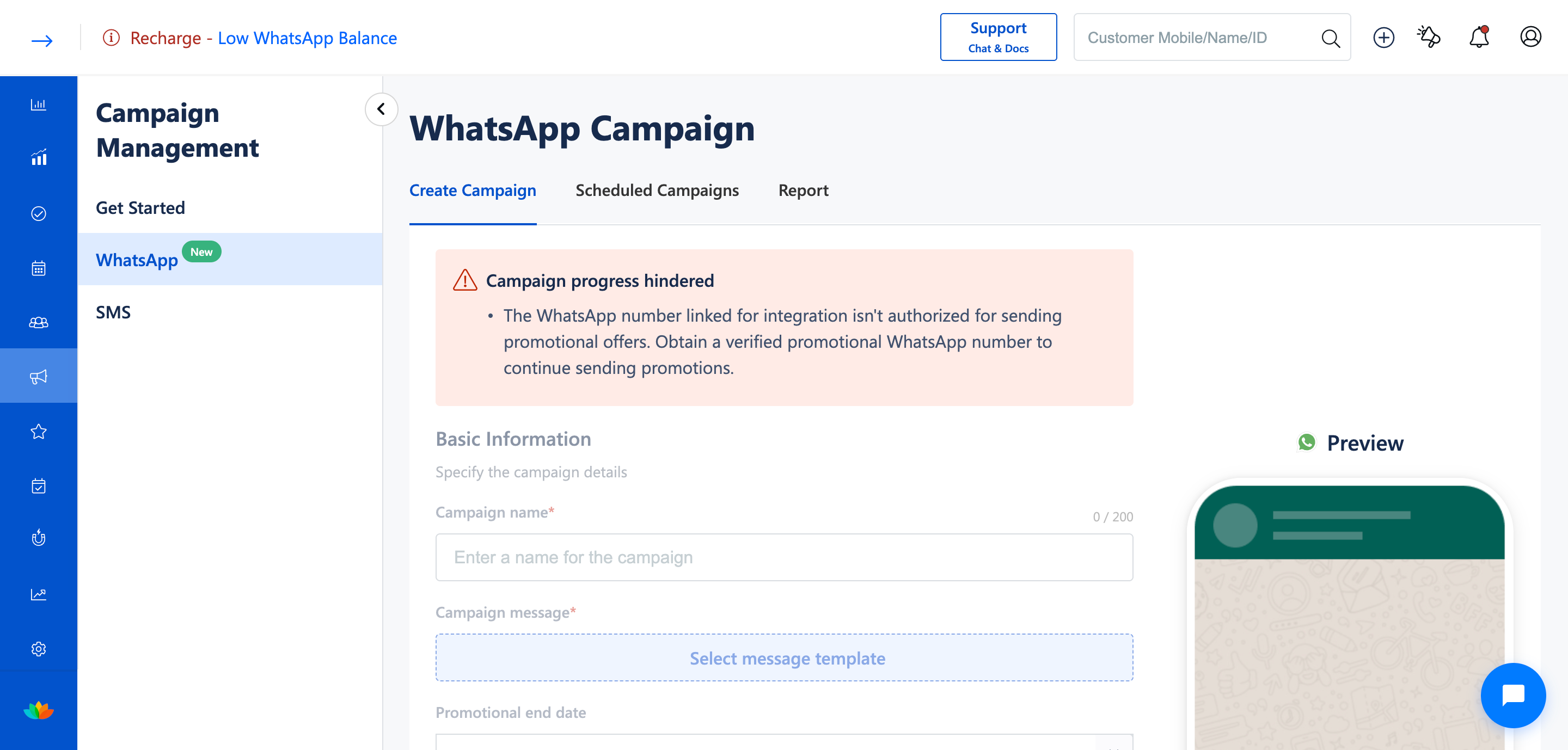
How to Fix: You must obtain a verified promotional WhatsApp number and link it to your account before you can continue sending campaigns.
2. WhatsApp Campaign is Already in Progress
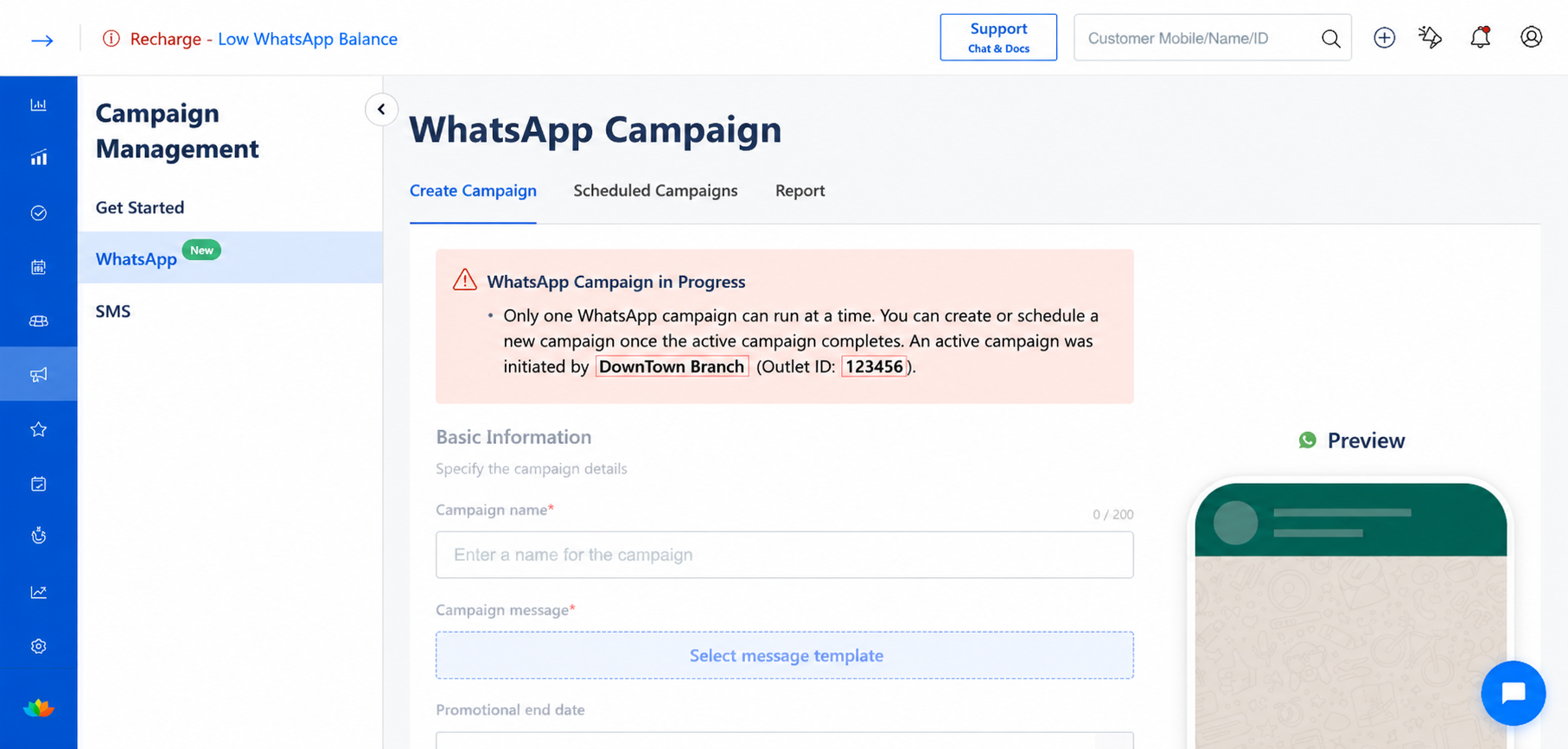
This notification acts as a safeguard to prevent conflicting campaigns from being sent at the exact same time. If you see this alert, it means another campaign is currently actively running or processing.
To help you track down the active campaign, the notification will display:
- Branch Name: The specific branch where the active campaign was initiated.
- Outlet ID: The unique identifier for that outlet (e.g., 123456).
How Integration Levels Affect Concurrent Campaigns
The way this specific "Campaign in Progress" notification behaves depends entirely on how your WhatsApp integration is set up (Network-Level vs. Store-Level).
Network-Level WhatsApp Integration
When your WhatsApp integration is configured at the network level, your entire brand shares a single WhatsApp channel.
- Rule: Only one campaign can run across the entire network at a time.
- Notification Behavior: If a campaign is initiated in any branch, the "Campaign in Progress" notification will be shown to all other branches within the network, preventing any other location from starting a concurrent campaign until the current one finishes.
Store-Level WhatsApp Integration
When your WhatsApp integration is configured at the store level, each individual branch has its own independent WhatsApp channel.
- Rule: Campaigns operate independently per branch. You can run campaigns in multiple branches simultaneously.
- Notification Behavior: The "Campaign in Progress" notification will only be shown within the specific branch where a campaign is currently active. This prevents users within that same branch from starting a second concurrent campaign, but allows other branches to continue their marketing efforts freely.
Was this article helpful?
That’s Great!
Thank you for your feedback
Sorry! We couldn't be helpful
Thank you for your feedback
Feedback sent
We appreciate your effort and will try to fix the article